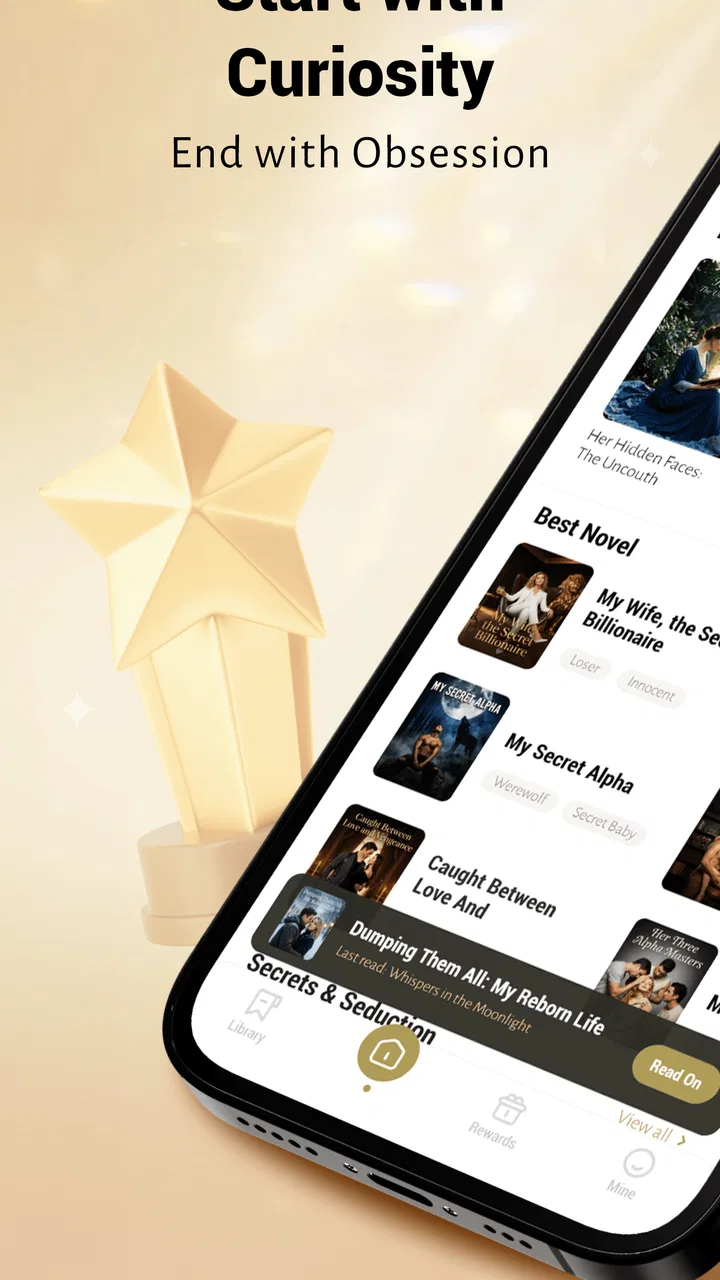
AmoraReads - Books & Stories
- 4.0
- Rating
- 50.00K
- Installs
- Free
- Price

 Analysis by App-foxy
Reading on a phone can be wonderfully convenient, but it can also become frustrating when an app makes the first few minutes unclear. I approached AmoraReads as a reader rather than as someone browsing a store page: I wanted to see how easily a story-reading app fits into an ordinary day, where a new user might hesitate, and what kind of reader is most likely to enjoy it. Developed by Ivula-Tech, it sits in the Books & Reference category and is available free of charge, with optional in-app purchases ranging from $0.49 to $99.99 per item.
My overall impression is positive but measured. The app’s appeal is straightforward: it gives people a focused place for immersive story reading instead of asking them to manage books, notes, browser tabs, and reading progress separately. Its average rating of 4.0 from around 11 thousand ratings suggests that many readers find value in it, while the roughly 50 thousand installs indicate a growing audience rather than a massive, established ecosystem. That distinction matters. I would recommend trying it if you want a dedicated fiction-reading experience, but I would not assume it will replace every reading service or suit every kind of book lover.
Getting past the first points of friction
The first challenge with any reading app is not usually reading itself. It is understanding what to do after opening it. A reader may expect to see a library immediately, while the app may guide attention toward discovery, account setup, or a particular story. When those expectations do not match, the experience can feel less polished even if the actual reading screen is comfortable.
You May Also Like

 Blood Strike: 2.5 Anniversary
Blood Strike’s Loadouts Turn Every Drop Into a Tactical Gamble
A close look at Blood Strike’s custom loadouts: how fast access to signature weapons reshapes its battle royale rhythm, rewards preparation, and narrows the gap between fights.

 Pandora - Music & Podcasts
Pandora’s Music Is Easy to Start, but Harder to Recover
Pandora’s strength is its low-effort path from a seed to a station. Its weak spot is how much confidence it asks you to place in connection, setup, and quiet recovery.

 8 Ball Pool
8 Ball Pool Is Built on Rivalries, Rematches, and Routine
A close look at the rivalries, rematches, shared routines, and unanswered safety questions that turn a quick pool match into a persistent mobile community.

 Samsung Music
Samsung Music’s Quiet Strength Is Playing What You Already Own
Its reach comes less from spectacle than from dependable access to a personal library. That simplicity is both the app’s strongest retention engine and its ceiling.

 AccuWeather: Weather Radar
AccuWeather Review: A Quick, Clear Forecast for Everyday Decisions
For everyday plans, the best forecast is the one you can understand quickly. AccuWeather makes rain timing, radar, and local conditions easy to act on, with a few trade-offs.

 Hill Climb Racing
Why Hill Climb Racing Still Turns Crashes Into One More Run
A tiny car, a bumpy hill and one more upgrade: Hill Climb Racing keeps resurfacing because its simple chaos makes every near-miss feel personal.
More From Our News Desk



With AmoraReads, I would advise taking a moment to identify the difference between finding a story and continuing one. New readers often tap through several covers before deciding what to read, then later return and wonder whether their place was preserved. That is a normal point of confusion in a story-focused app, especially when the interface presents discovery more prominently than personal organization. My practical approach is simple: after opening a story, read far enough to establish a clear stopping point, then leave and return deliberately so you know how the app handles your progress.
This small test is more useful than judging the app from its first screen. It tells you whether the reading flow matches your habits. If you read one story at a time, a simple continuation path may be enough. If you move between several stories, you will want to pay closer attention to how easily you can identify the last one you opened. I found that this kind of early check prevents a common mistake: assuming a title has disappeared when it is actually waiting in another part of the reading flow.
Another place users can get stuck is the meaning of locked or limited content. Because the app is free but includes optional purchases, not every part of the experience should be treated as if it follows the same access model. I recommend reading the wording around any purchase prompt carefully instead of tapping through quickly. The important question is not only what an item costs, but what it changes in your reading session and whether it is necessary for the particular story you want to follow.
The best first-session habit is to test the complete reading loop before committing to a long story. Open a title, read a short portion, exit normally, return to it, and check whether the route back feels obvious. This gives you a much more realistic sense of usability than scrolling through the catalog for several minutes.
What to check before settling into a story
My setup advice is intentionally basic because it avoids inventing expectations about features that may vary by device or app build. Make sure the app has finished installing, open it with a stable connection, and allow the initial screens to load fully before repeatedly tapping. If a cover or reading page appears slowly, rapid tapping can make it difficult to tell whether the app is processing the request or whether the tap was missed.
The current version is 1.4.1, and it requires Android 7.0 or later. That makes compatibility an early checkpoint for Android users. If the device is older, the issue may be the operating system rather than the reading service itself. On a compatible phone, I would still keep the system updated where possible, close unusually demanding background apps, and restart AmoraReads after an interrupted installation. These are ordinary steps, but they remove several avoidable causes of a poor first impression.
Readers should also decide what they want from the app before exploring deeply. AmoraReads makes more sense for someone looking for an immersive story session than for someone who primarily needs a technical reference library, academic annotation, or a broad personal document manager. That distinction changes how you evaluate it. A person seeking a relaxing fiction routine may appreciate a focused environment, while a student who needs searchable textbooks and extensive citation tools may be better served by a conventional reference reader.
On a smaller phone, I would test a few pages before choosing a long session. Text that looks comfortable in a preview can feel different after several minutes, especially if you prefer larger lettering or usually read in low light. Rather than deciding from a single glance, use the app in the position and lighting where you normally read. If the page makes you squint or constantly adjust your grip, the problem is not solved by the promise of a large library.
It is also worth deciding how you will handle purchases in advance. The wide range between the smallest and largest listed item price means that optional spending can represent very different commitments. I would treat the free access as a trial of the reading experience, then make any purchase only after confirming that the story format, pacing, and return path work for you. This is especially sensible for younger readers, since the content rating is Teen and purchase decisions should be made with the account holder’s normal safeguards in mind.
Recovering when reading does not resume cleanly
When a story does not appear to resume correctly, I would avoid immediately uninstalling the app or clearing its data. Those actions can remove local information and make it harder to understand what actually went wrong. Start by closing the reading screen normally, reopening the app, and looking for the title through the same route you used to open it. If the problem happened after a weak connection, wait for the app to finish loading before trying again.
A useful recovery routine is to change only one thing at a time. First retry the story. If that fails, restart the app. If the issue continues, restart the phone and check the connection. This sequence helps separate a temporary loading problem from a repeatable navigation issue. It also avoids the common habit of changing several settings at once and then not knowing which action helped.
If the app opens but a particular page behaves strangely, try another story or another section before concluding that the entire application is broken. A single damaged or incomplete loading event can look like a general failure. Conversely, if every story produces the same result, the cause is more likely to involve the device, connection, installation, or a broader app problem. Keeping notes about what you tapped and what happened makes any later support request much more useful.
I would be especially cautious about clearing storage when reading progress matters. A clean reinstall can sometimes solve stubborn startup problems, but it should be a later step rather than the first one. Before taking it, make sure you understand how your current reading state is preserved and whether you are comfortable starting again if local progress is lost. This is one of the main trade-offs of troubleshooting a reading app: a drastic fix can restore access while also removing the very information you were trying to protect.
Another practical tip is to avoid testing recovery while switching repeatedly between mobile data and Wi-Fi. Give one connection a fair attempt, then try the other if necessary. If a story loads on one network but not the other, the app may not be the real cause. That observation is more valuable than simply labeling the app unreliable, because it tells you when changing the reading environment is the appropriate solution.
Separating app trouble from phone and network trouble
Reading applications depend on more than their own interface. A phone with very little free space, an unstable connection, aggressive battery restrictions, or an outdated operating system can make an otherwise usable app feel broken. If the reading screen freezes only when many other apps are open, close those apps and try again. If other online services are also slow, test the connection before blaming AmoraReads.
The same reasoning applies to account and purchase screens. A delayed confirmation does not necessarily mean a purchase failed or succeeded; repeating the tap can create unnecessary confusion. Wait for the screen to respond, check the relevant device confirmation, and avoid making a second attempt until the first result is clear. This is ordinary digital hygiene, but it is particularly important when optional items can vary substantially in price.
Device settings can affect comfort even when the app is functioning normally. Screen brightness, font scaling, display color settings, and orientation behavior all change how a reading session feels. If text appears too small, try the phone’s available display controls before deciding that the app is unusable. If the screen rotates unexpectedly, lock the orientation during a long session. These adjustments do not add features to the app, but they can make the difference between reading for twenty minutes and abandoning the story.
There is also a difference between a story being unavailable and the application failing to load. If one title cannot be opened while the rest of the interface works, try another title and return later. If the whole app fails to start, focus on installation and device checks. This simple comparison is one of the most useful diagnostic tools available to a reader because it narrows the problem without requiring technical knowledge.
For people using an older Android phone, the minimum operating-system requirement deserves attention before download. A device can appear modern enough for everyday tasks and still fall outside an app’s supported range. In that situation, changing networks or reinstalling will not solve the compatibility issue. A newer compatible device, or a different reading option, is the more realistic answer.
How it compares with familiar reading alternatives
Compared with a general web browser, AmoraReads offers a more intentional reading destination. A browser is better when you need to jump between sources, search broadly, or read material from many unrelated websites. The trade-off is distraction: notifications, tabs, and unrelated recommendations can interrupt a story. Someone who wants a quieter fiction routine may prefer the dedicated app approach.
Compared with a traditional ebook reader, the decision depends on what you value most. A dedicated ebook application may be stronger for people who already own a carefully organized collection and want dependable control over books, files, highlights, or long-term library management. AmoraReads is more appealing when the main goal is discovering and following stories inside one focused environment. I would not choose it solely because I need a replacement for every book format I already use.
It also differs from a general note-taking or document app. Those tools are useful for storing personal files, marking passages, and building a private research system, but they often require more setup before reading feels natural. AmoraReads is aimed at the reading experience itself. That focus can be a strength for casual evening reading, though it may feel limiting to users who want to combine fiction with detailed study notes.
The free entry point makes experimentation easy, but the purchase structure changes the comparison. A completely free reader may be preferable for someone who refuses optional spending, while a paid ebook platform may feel more predictable to a reader who wants to buy complete books rather than encounter item-based choices. I would use AmoraReads when its story format and discovery experience appeal to me, not simply because downloading it costs nothing.
Who will enjoy it, and who should look elsewhere
I think AmoraReads is best suited to readers who use their phone as a regular leisure device and want stories available in short, repeatable sessions. It can work well during a commute, before bed, or while waiting for an appointment, provided the phone and connection behave reliably. The immersive focus is also useful for people who find a browser too distracting but do not want to carry a separate reading device.
A realistic everyday routine would be to open the app after dinner, continue one story for a few chapters or a short interval, stop at a natural break, and return the next evening through the same title. The key is consistency: choose one active story, confirm that your place is easy to recover, and avoid spending the entire session browsing. That workflow turns the app from a catalog into a reading habit.
I would be less enthusiastic about recommending it to someone who needs a professional reference tool, extensive document handling, or a highly controlled personal library. It is also not the obvious choice for a reader who wants to avoid all in-app purchase decisions. In those cases, a conventional ebook reader, library service, or document-focused application may offer a clearer match between expectations and tools.
The Teen content rating should also shape the decision for families. Adults choosing the app for a younger household member should review the reading material and manage purchasing in the same careful way they would with any app that offers optional paid items. The rating is not a promise that every story will suit every reader; it is a reminder to make the choice with the intended audience in mind.
My practical verdict after using the reading workflow
AmoraReads is a worthwhile free app to try if you want a story-centered reading space on Android and are comfortable evaluating optional purchases as they appear. Ivula-Tech has positioned it clearly enough for casual fiction reading, and the current 4.0 average shows a generally favorable response without suggesting universal satisfaction. I like the idea of using it as a lightweight evening reader, especially when I want to avoid the clutter of a browser.
My recommendation comes with a specific condition: test recovery and loading before investing heavily in a story. The most important questions are practical ones. Can you return to the title without searching repeatedly? Does the app remain usable on your phone and connection? Are the purchase prompts clear enough for your comfort? If the answers are yes, the free starting point makes the experiment low-risk.
The app is not a complete substitute for every ebook, reference, or library solution. Its strengths are focus, accessibility, and a story-first routine; its weaknesses are the possible uncertainty around access choices, the need to troubleshoot ordinary device and network issues, and the fact that a growing service may not satisfy readers seeking the depth of a mature book ecosystem. I would install it for relaxed story discovery, but I would keep another reading option for technical books, personal documents, and carefully managed collections.
For Android users on version 7.0 or later, the sensible path is to start slowly: install it, try a short reading session, leave and return to the same story, and only then decide whether the experience deserves more of your time. That approach gives you a fair view of what the app actually does, protects you from unnecessary purchase decisions, and makes it much easier to tell the difference between an app limitation and a problem elsewhere on the phone.
FAQs for AmoraReads - Books & Stories
01What is AmoraReads - Books & Stories?
AmoraReads - Books & Stories is a reading app focused on digital books, serialized fiction, and bite-sized stories for mobile users. Its catalog may include romance, drama, fantasy, mystery, and other popular genres, depending on availability in your region. Readers can browse titles, open stories, and continue reading from a smartphone or tablet in a convenient, app-based format.
02Is AmoraReads - Books & Stories free to download and use?
The application can generally be downloaded without an upfront purchase, but access to all content may depend on the app’s monetization model. Some stories or chapters may be free, while premium chapters, subscriptions, virtual credits, or in-app purchases could be required for continued reading. Before downloading, check the current store listing and in-app pricing, as offers and access rules can change.
03Does AmoraReads offer offline reading?
Offline reading depends on the features enabled by the current version of AmoraReads and the individual title. Some reading apps allow users to save chapters for later, while others require an active internet connection to load content and synchronize progress. Check the book screen and settings for a download option, and remember that offline access may be limited to selected chapters or premium users.
04Can I save my reading progress and access it on another device?
AmoraReads may save reading progress through an account, login method, or local app data, depending on how the service is configured. Signing in can make it easier to keep your library, bookmarks, and chapter history synchronized across supported devices. If you use the app without an account, progress could be tied to the device and may be lost after deletion or a reset.
05Is AmoraReads suitable for children and teenagers?
The app’s suitability depends on the stories available in its catalog, since fiction platforms can contain themes such as romance, conflict, mature relationships, violence, or other age-sensitive material. Parents should review the app-store rating, privacy information, and individual story descriptions before allowing younger users to access it. Built-in parental controls may not cover every title or recommendation.
Pros
- Clean
- reader-friendly interface makes browsing stories quick and comfortable.
- Personalized recommendations help users discover books matching their interests.
- Supports convenient reading on mobile devices wherever you are.
- Large selection of stories offers variety across different genres and moods.
- Useful library tools make it easy to save and revisit favorite titles.
Cons
- Some content may require an account or subscription to access fully.
- The catalog can vary by region and may not include popular new releases.
- Recommendation quality may take time to improve for new users.
- Reading options may feel limited compared with dedicated ebook apps.
- Frequent updates or syncing may require a stable internet connection.

AmoraReads - Books & Stories
Gallery